-
[FLUTTER] 화면전환 (Navigator)Flutter 2023. 3. 23. 18:36
[Navigator 화면전환]
각 화면을 라우트(Route)라고 부르며, 화면을 이동할 때 네비게이터(Navigator)를 사용
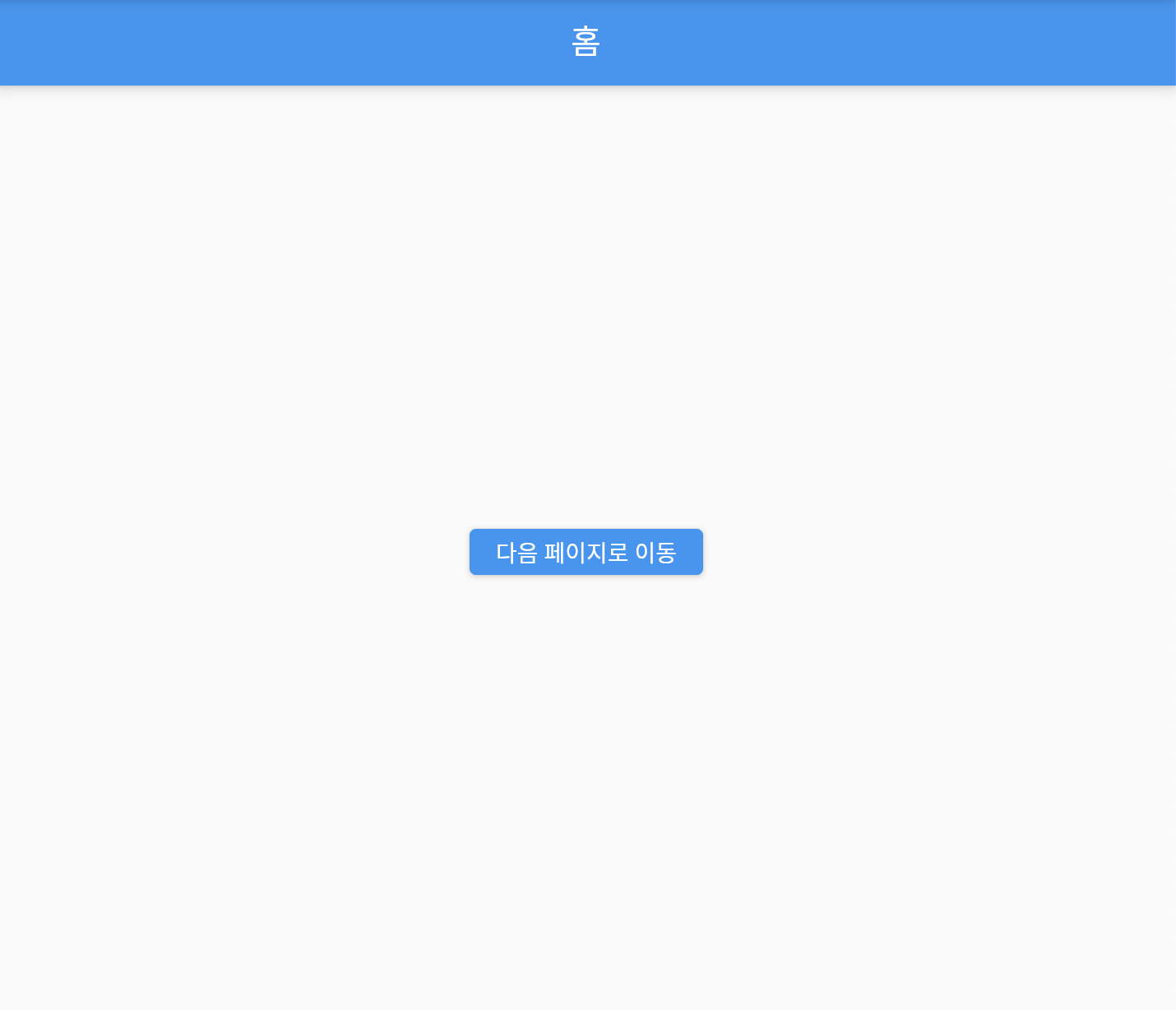
- 다음페이지로 이동
Navigator.push(
  context,
  MaterialPageRoute(builder: (context) => SecondPage()), // 이동하려는 페이지
);
- 현재 화면 종료
Navigator.pop(context); // 종료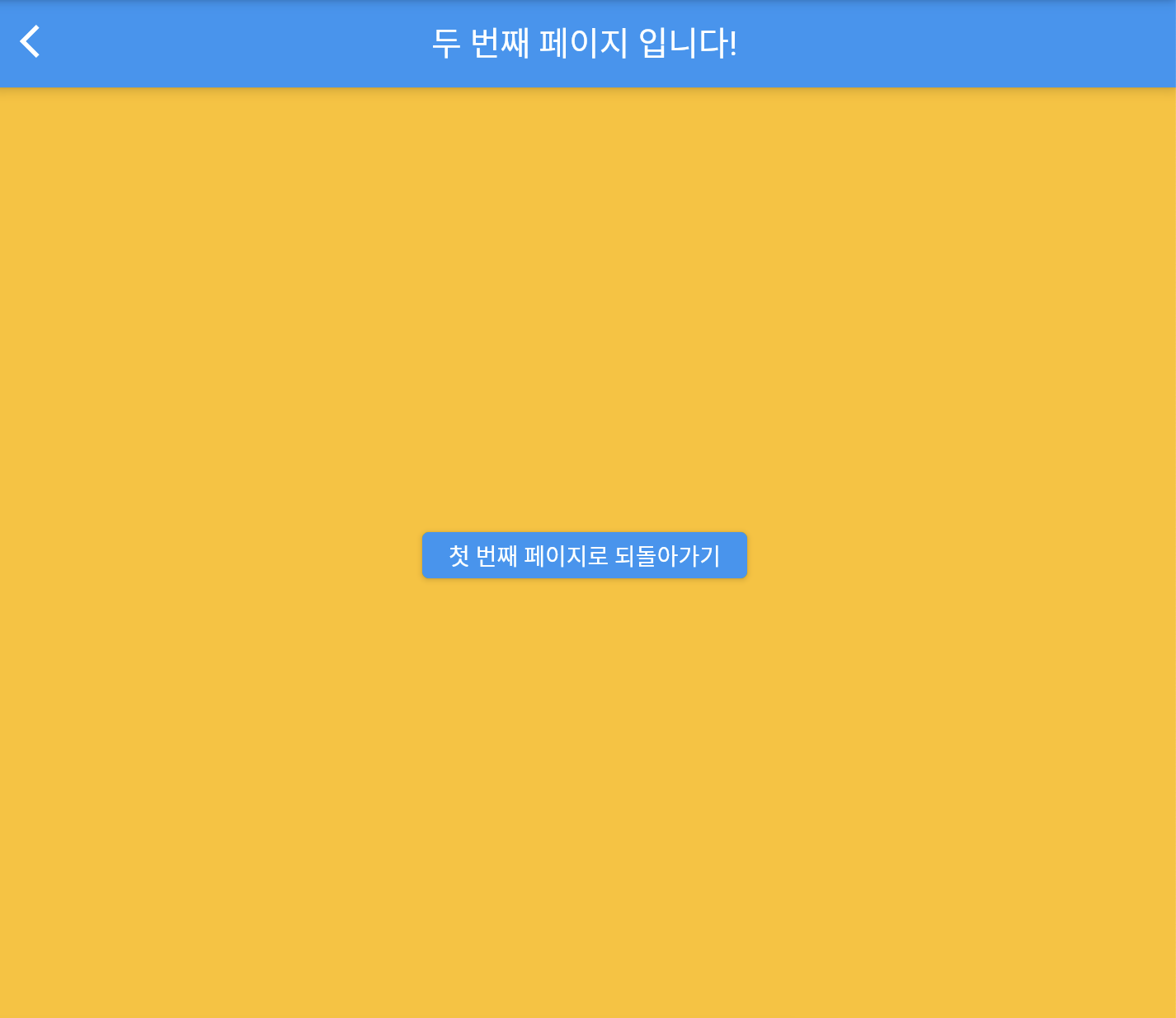
/// Copyright 2022. ⓒ DevStory.co.kr All rights reserved.

// ignore_for_file: prefer_const_constructors

import 'package:flutter/material.dart';

void main() {
  runApp(const MyApp());
}

class MyApp extends StatelessWidget {
  const MyApp({Key? key}) : super(key: key);

  @override
  Widget build(BuildContext context) {
    return MaterialApp(
      debugShowCheckedModeBanner: false,
      home: FirstPage(),
    );
  }
}

// 첫 번째 페이지
class FirstPage extends StatelessWidget {
  const FirstPage({Key? key}) : super(key: key);

  @override
  Widget build(BuildContext context) {
    return Scaffold(
      appBar: AppBar(
        title: Text("홈"),
      ),
      body: Center(
        child: ElevatedButton(
          child: Text("다음 페이지로 이동"),
          onPressed: () {
            // 페이지 이동
            Navigator.push(
              context,
              MaterialPageRoute(builder: (context) => SecondPage()), // 페이지넘어갈때 애니메이션 설정 : MaterialPageRoute
            );
          },
        ),
      ),
    );
  }
}

// 두 번째 페이지
class SecondPage extends StatelessWidget {
  const SecondPage({Key? key}) : super(key: key);

  @override
  Widget build(BuildContext context) { // context : 현재 실행되는 위젯의 위치 등 (위젯의 정보를 담고있음)
    return Scaffold(
      appBar: AppBar(
        title: Text("두 번째 페이지 입니다!"),
      ),
      backgroundColor: Colors.amber,
      body: Center(
        child: ElevatedButton(
          child: Text("첫 번째 페이지로 되돌아가기"),
          onPressed: () {
            // 뒤로가기
            Navigator.pop(context);
          },
        ),
      ),
    );
  }
}
+ 화면이 많아지는 경우
https://docs.flutter.dev/cookbook/navigation/named-routes
Navigate with named routes
How to implement named routes for navigating between screens.
docs.flutter.dev
[pushReplacement]
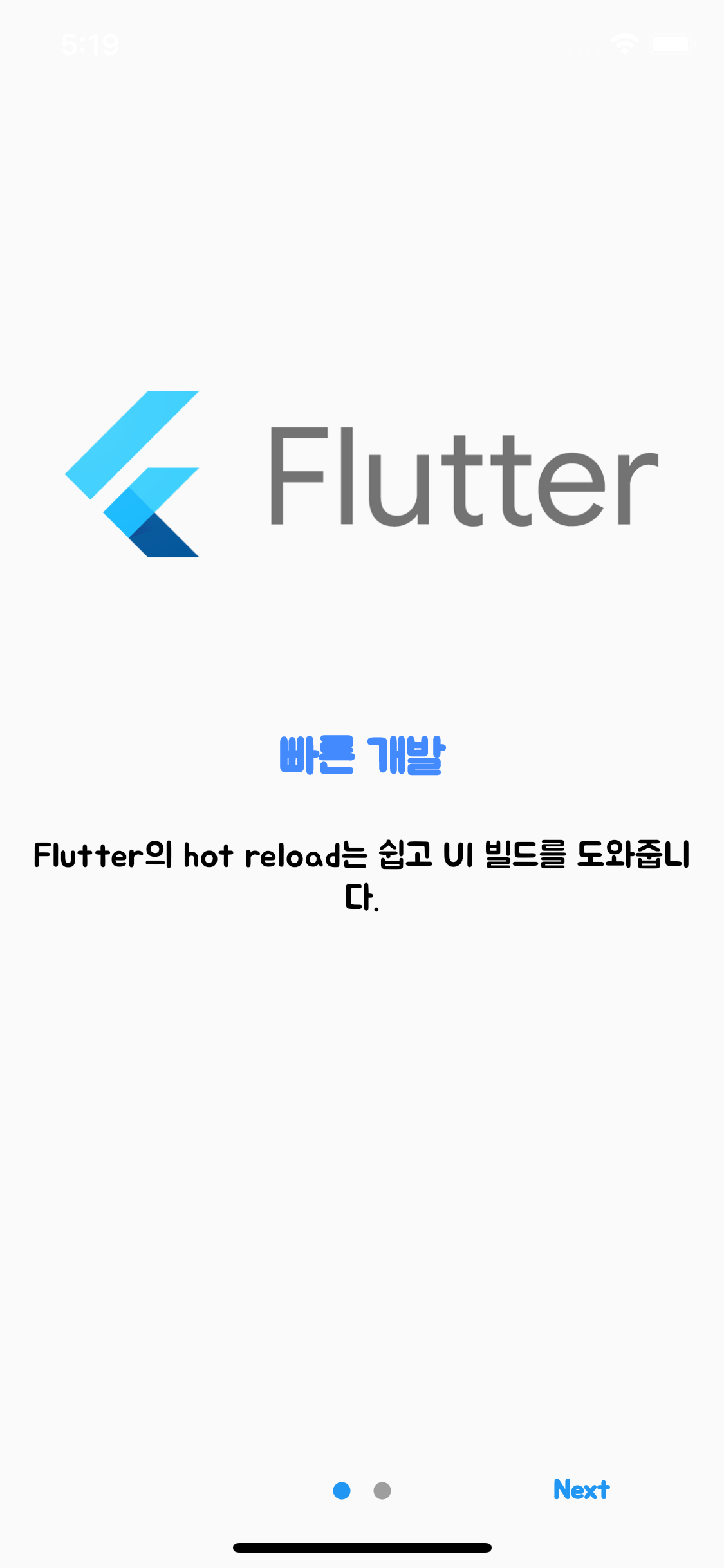
Done 버튼 클릭했을때, 화면 전환
: 이때는 기존의 페이지를 없애고 전환하는 페이지를 교체하는 방식으로!
onDone: () {
          // When done button is press
          // Done 클릭시 페이지 이동
          Navigator.pushReplacement(
            // 기존의 OnboardingPage는 없애고, HomePage로 교체하는 방식으로! (push->pushReplacement)
            context,
            // 이동하고 싶은 페이지 이름 적어주기
            MaterialPageRoute(builder: (context) => HomePage()),
          );
        },
아래 Done 버튼을 클릭하면 HomePage 화면으로 바뀌는데, 뒤로 가기 할수없음!


- 전체코드 (위 온보딩 페이지 관련)
import 'package:flutter/material.dart'; import 'package:introduction_screen/introduction_screen.dart'; import 'package:google_fonts/google_fonts.dart'; void main() { runApp(MyApp()); } class MyApp extends StatelessWidget { const MyApp({Key? key}) : super(key: key); @override Widget build(BuildContext context) { return MaterialApp( debugShowCheckedModeBanner: false, theme: ThemeData( textTheme: GoogleFonts.getTextTheme('Jua'), ), home: OnBoardingPage(), // OnBoardingPage로 연결해줘야 나옴 (기본은 Scaffold로 되어있음) ); } } class OnBoardingPage extends StatelessWidget { const OnBoardingPage({super.key}); @override Widget build(BuildContext context) { return Scaffold( body: IntroductionScreen( // 사용하려면 패키지 import 해야함 pages: [ // 페이지1 // 첫 번째 페이지 PageViewModel( title: "빠른 개발", body: "Flutter의 hot reload는 쉽고 UI 빌드를 도와줍니다.", image: Padding( padding: EdgeInsets.all(32), child: Image.network( 'https://user-images.githubusercontent.com/26322627/143761841-ba5c8fa6-af01-4740-81b8-b8ff23d40253.png'), ), decoration: PageDecoration( titleTextStyle: TextStyle( color: Colors.blueAccent, fontSize: 24, fontWeight: FontWeight.bold, ), bodyTextStyle: TextStyle( color: Colors.black, fontSize: 18, ), ), ), // 두 번째 페이지 PageViewModel( title: "표현력 있고 유연한 UI", body: "Flutter에 내장된 아름다운 위젯들로 사용자를 기쁘게 하세요.", image: Image.network( 'https://user-images.githubusercontent.com/26322627/143762620-8cc627ce-62b5-426b-bc81-a8f578e8549c.png'), decoration: PageDecoration( titleTextStyle: TextStyle( color: Colors.blueAccent, fontSize: 24, fontWeight: FontWeight.bold, ), bodyTextStyle: TextStyle( color: Colors.black, fontSize: 18, ), ), ), ], next: Text("Next", style: TextStyle(fontWeight: FontWeight.w600)), done: Text("Done", style: TextStyle(fontWeight: FontWeight.w600)), onDone: () { // When done button is press // Done 클릭시 페이지 이동 Navigator.pushReplacement( // 기존의 OnboardingPage는 없애고, HomePage로 교체하는 방식으로! (push->pushReplacement) context, // 이동하고 싶은 페이지 이름 적어주기 MaterialPageRoute(builder: (context) => HomePage()), ); }, ), ); } } class HomePage extends StatelessWidget { // 페이지 이름 : HomePage const HomePage({Key? key}) : super(key: key); @override Widget build(BuildContext context) { return Scaffold( appBar: AppBar( title: Text("Home Page!"), ), body: Center( child: Text( "환영합니다!", style: TextStyle( fontSize: 24, ), ), ), ); } }'Flutter' 카테고리의 다른 글
[FLUTTER] 비동기처리 (async와 await) -화면 간 데이터 전달 (0) 2023.04.07 [FLUTTER] shared_preferences 패키지 사용해보기 (앱 자체 데이터 저장소) (0) 2023.04.06 [FLUTTER] Stack (0) 2023.03.23 [FLUTTER] Column & Row (0) 2023.03.23 [FLUTTER] StatelessWidget & StatefulWidget (0) 2023.03.23